Design Standard Operating Procedure, a guide for designers to enable collaboration and fluid work efficiency. Scaling UX Operations with a Systems-Oriented Framework for Design.

Establishing Predictable Operations
The Operational Deficit: Operating without an explicit methodological framework introduces unpredictable variables into the pipeline, ultimately stalling delivery timelines and fracturing stakeholder alignment.
The Objective: Standardizing the design workflow is required to guarantee predictable, scalable, and premium digital experiences specifically engineered for tech product companies and B2B environments.
Pipeline Optimization: Rigorous adherence to file handling, nomenclature, and access protocols eradicates friction for cross-functional teams, ensuring elevated work quality and highly structured developer handoffs.
Establishing these ground rules is essential for pipeline optimization, enabling seamless usability of design outputs across cross-functional teams.
Methodological Boundaries
Research and Conceptualization: This foundational phase must be strictly isolated to understanding user needs, evaluating the business context, and explicitly defining the core problem statement.
Prohibiting Tactical Execution: Tactical design execution is strictly prohibited during the discovery phase to prevent misaligned architectural decisions and severe delivery delays.
Precise Scoping: Any branding scope within this operational pipeline is explicitly limited to collateral enhancements, strictly omitting full, ground-up identity creation.
File Organization and Information Architecture
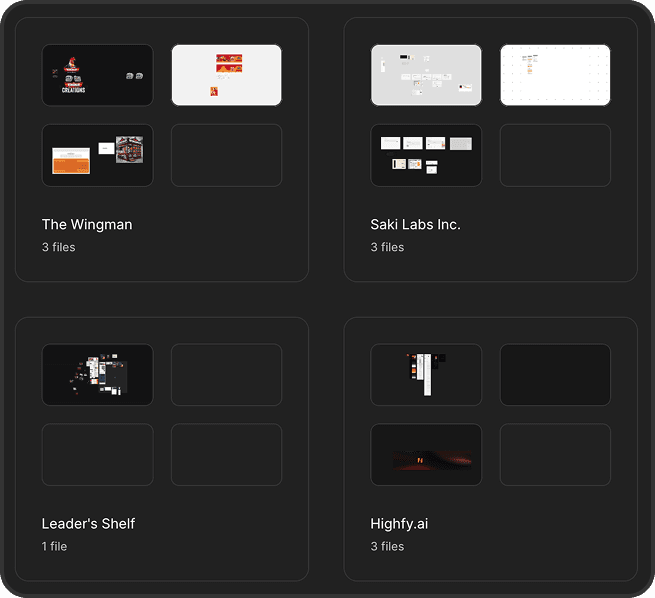
Enforce a strict top-down hierarchy within the Figma ecosystem: Portfolios > Projects > Reporting Units/Workstream > Sections. External cloud repositories must mirror this exact structural hierarchy utilizing deep folder nesting to guarantee digital-to-physical scalability across all non-Figma deliverables.
Figma Projects: Utilized exclusively as the top-level container to designate the overarching Portfolio name.
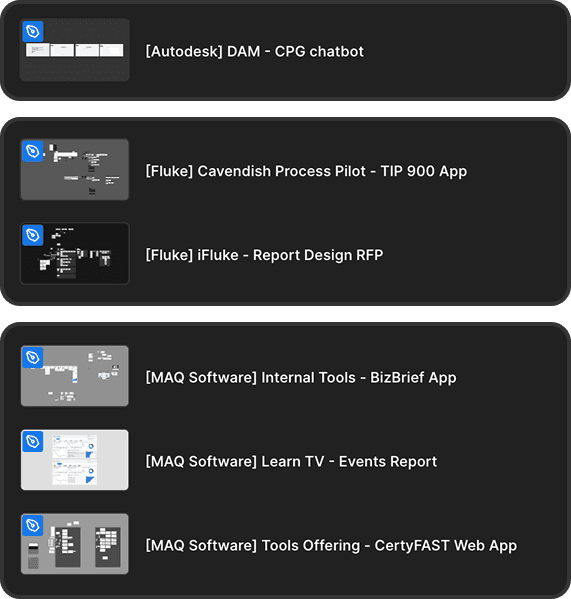
Files: Configured strictly using the
[Project Name] - [Report Name]format.
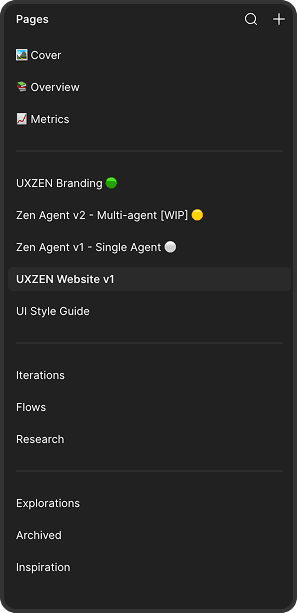
Pages: Dedicated to housing specific project states, including the central "Read Me" documentation, version milestones, and the archival history.
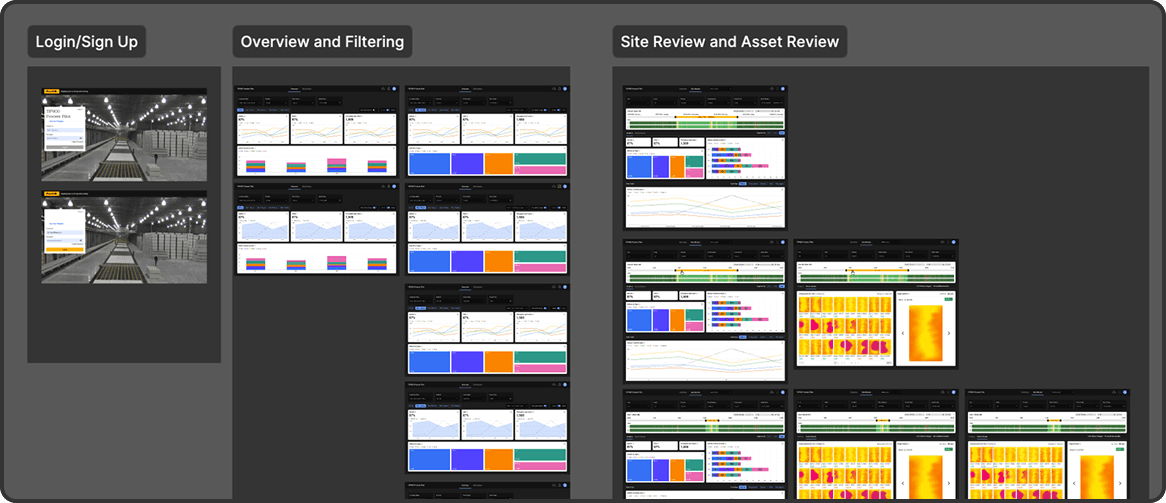
Sections: Deployed exclusively within the canvas for segregating complex user flows and mapping logic branches through semantic color-coding.
Cloud Repositories (Non-Figma Assets): External repositories must perfectly mirror the Figma ecosystem's hierarchy (Portfolios > Projects > Reporting Units) utilizing deep folder nesting to secure digital-to-physical scalability.

File Handling Best Practices
Library Isolation: The master style guide and design library must reside in an isolated file. Edit access must be heavily restricted to maintain process compliance and prevent unapproved structural appendages.
Systemic Page Separators: Deploy dummy separator pages to enforce a rigid, three-tier workspace architecture:
--- System ---(Summary, Research),--- Work Area ---(Active execution, Ready for Dev), and--- Archive ---(Playground, Locked Versions).
Progressive Canvas Layout: Organize tactical execution linearly. Anchor main screens at the far left or top line, expanding progressively to the right or downwards for sub-screens and prototype flows. Subsequent user flows must start directly in the next column/row fashion, resetting to the same axis.
In-Canvas Milestone Tracking: Construct timeline views and Gantt charts directly onto the canvas to secure stakeholder alignment on project phases without relying on external software switching.
WIP Status Markers: Implement clear Work In Progress (WIP) markers, utilizing color-coded thumbnails or label components to instantly communicate status at the browser level.
Systemic Nomenclature
Mandate the structural naming format for all assets:
[Project/Feature]_[Screen/Component]_[Version]_[Date].
Utilize forward slashes (
/) to build logical categorizations and group elements hierarchically within the Assets Panel (e.g.,btn/Primaryinsnake_caseorPascalCase) to directly align with front-end syntax and eliminate translation errors.
Nomenclature Best Practices
Semantic Descriptors & Casing: Eliminate default auto-generated names (e.g., "Frame 42"). Enforce descriptive, semantic identifiers (e.g.,
Card/Product/Image) applying consistentPascalCaseorsnake_caseconventions. Keep Auto-Layout container names extremely lightweight (e.g.,List) to prevent layers panel clutter.
Systemic Page Separators: Deploy dummy separator pages to enforce a rigid, three-tier workspace architecture:
--- System ---(Summary, Research),--- Work Area ---(Active execution, Ready for Dev), and--- Archive ---(Playground, Locked Versions).
AI Efficiency & Automation Tooling: Radically decrease turnaround time by mandating bulk renaming shortcuts to apply systemic patterns. Leverage AI renaming protocols to autonomously clean up legacy or unlabelled frames before developer handoff.
Mathematical Layouts and Design Systems
Authorized Grid Systems: Layout foundations must utilize one of three authorized systems consistently per project to guarantee systemic visual harmony:
The Golden Ratio: 1:1.618 ratio for layout hierarchies and typography scaling in high-impact collateral enhancements.
8pt Grid System: Base unit of 8 (tokens: 4px, 8px, 16px, 24px, 32px) for responsive digital products.
5px Incremental System: Multiples of 5 (tokens: 5px, 10px, 15px, 20px) for simple arithmetic divisions.
Token Mandates: Hardcoding colors or typography forces manual updates and introduces technical debt. All properties must pull directly from defined color styles and established typography variables.
Component Integrity: Every repeating UI element must be converted into a component. Detaching master components fractures systemic integrity; designers must exclusively use instance overrides.
Approval Matrix: The creation or modification of master styles requires mandatory external approval from Design Leads, Project Managers, Client POCs, and Lead Developers.
Versions & Iteration Control
Figma Checkpoints: The "Save to Version History" feature must be triggered at key milestones (e.g., Wireframe Complete, Handoff Ready) to establish a chronological audit trail.
Version Formatting: Saved versions must follow the rigid format:
[Milestone] - [Status] - [Date] - [Initials].
Archival Protocol: Old explorations must be explicitly moved to an "Archive" page to enable rapid resurrection of discarded architectural concepts, and finalized deliverables must be locked.
Collaboration, Access, & Developer Handoff
Access Constraints: Unrestricted file access creates security vulnerabilities. View-only access is granted to stakeholders, while edit rights are strictly limited to core contributors.
Handoff Protocols: Verify clearance and utilize a dedicated studio dev-seat account. If unavailable, conduct a mandatory knowledge transfer (KT) video walkthrough covering the Style Guide, typography, spacing, interactive prototypes, marginal use cases, and error scenarios.
Asset Packaging: Deliver explicit, non-retrievable asset packages following strict versioning nomenclature to drastically reduce asynchronous clarification pings.
CX Analytics & Performance Tracking
Objective Measurement: Relying on subjective assumptions regarding team efficiency is inefficient. Structured feedback must be fetched directly from project stakeholders (internal management and external client POCs) following project completion.
Performance Dashboards: A dedicated CX Analytics dashboard must be utilized to track process compliance, communication clarity, and overall turnaround time.
Maturity in the UX CoE: Transforming feedback into actionable evaluation metrics empowers leadership to refine operations continuously, optimize resource allocation, and drive maturity within the UX Center of Excellence.
utkarsh
utkarsh
@
@
uxzen
uxzen
.
.
studio
studio
About me
Website